---
title: "Setting Up an Integration with Chili Piper and Instapage Forms"
source_url: https://help.chilipiper.com/hc/en-us/articles/360053797633-Setting-Up-an-Integration-with-Chili-Piper-and-Instapage-Forms
article_id: 360053797633
updated_at: 2025-06-25T17:47:07Z
---
Please follow this guide to integrate your Chili Piper Inbound Router with Instapage Forms.
1. Create and configure your Chili Piper Inbound Router - [See here for instructions](https://help.chilipiper.com/hc/en-us/articles/360053021874)
1. In your Inbound Router, enable the option "Chili Piper creates lead in Salesforce real time".
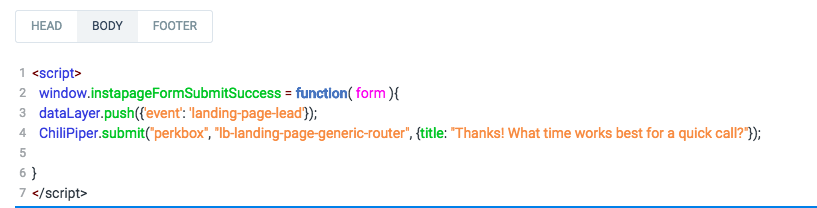
2. After creating your Instapage page, go to "Settings" -> "Javascript", and in the **Body** section of Instapage, insert the following code and edit with your account parameters:
3\. Add an HTML Element to your Instapage page and put it directly under your form.
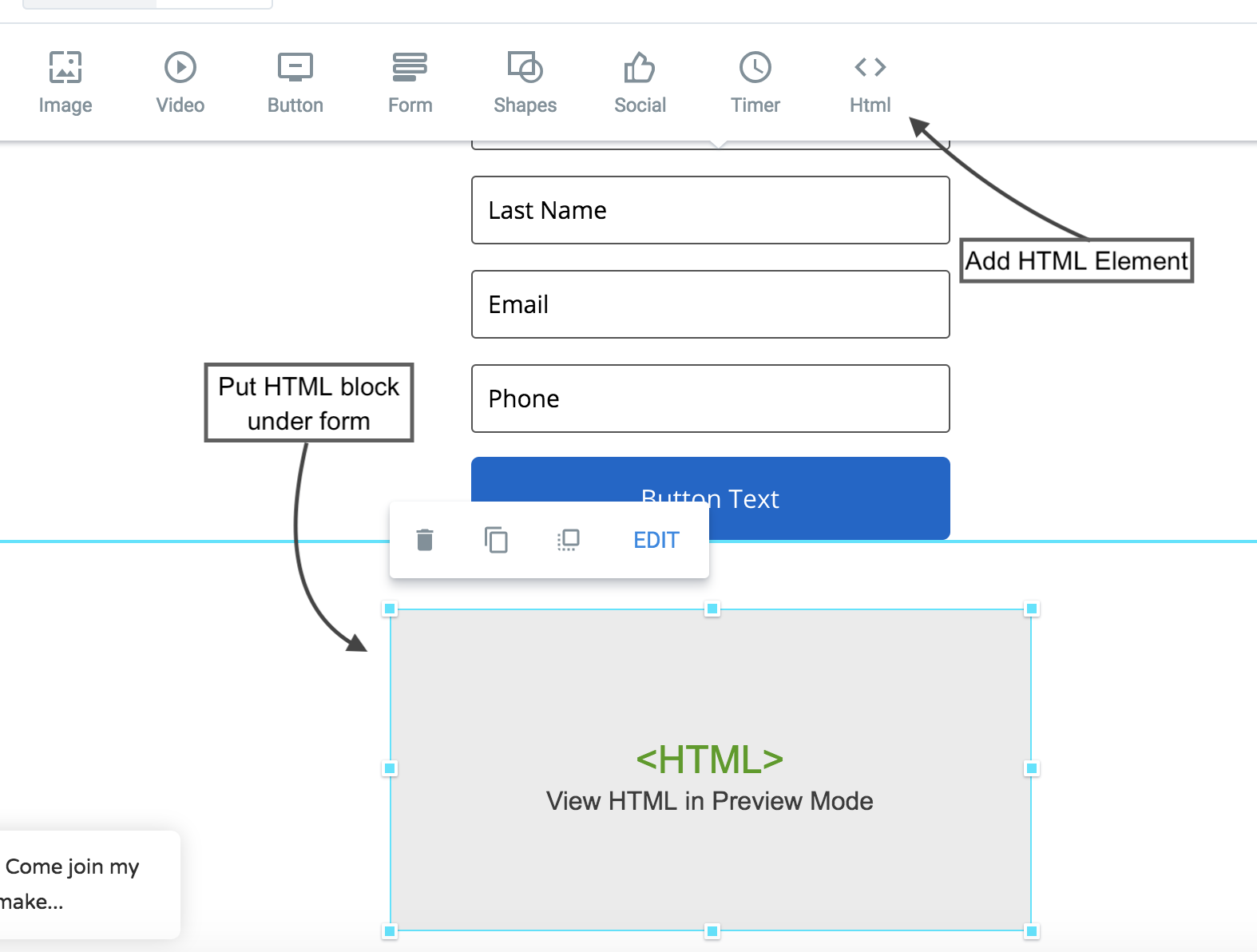
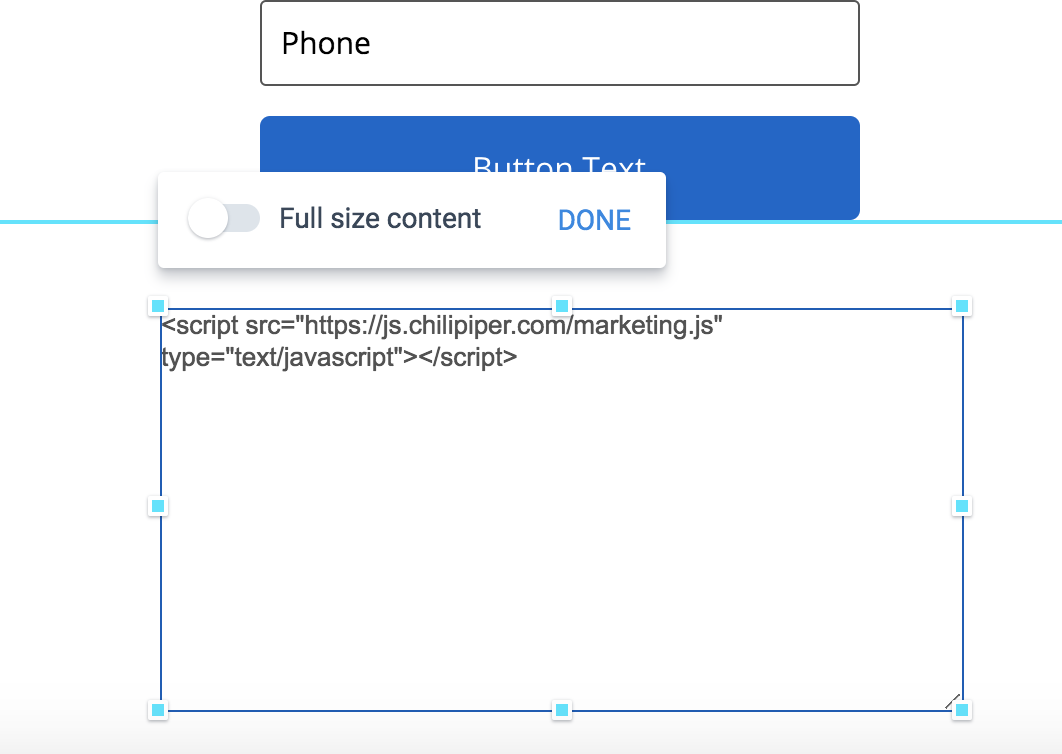
4\. Edit theblock and add the following code:
Your HTML block should look like this:
5\. Publish your page and test your integration!
**Note:** Do not enable the setting to redirect after form submission in Instapage. You will configure the redirect for people who book a meeting and people who do not book a meeting in Chili Piper.
**Pro Tip:** You can also include the data layer push to help track conversions.