powered by chili piper - remove

How to remove the powered by Chili Piper at the bottom of the booking form?
-
Official comment

To all users reading this topic, the solution provided across this post applies to our Legacy platform. As you're probably aware, we upgraded to the Demand Conversion Platform a while ago, which has a different structure and features.
In the Demand Conversion Platform, you will mainly look for the Banding & Language option in the Admin Center's left-hand menu. Then, disable the following option:
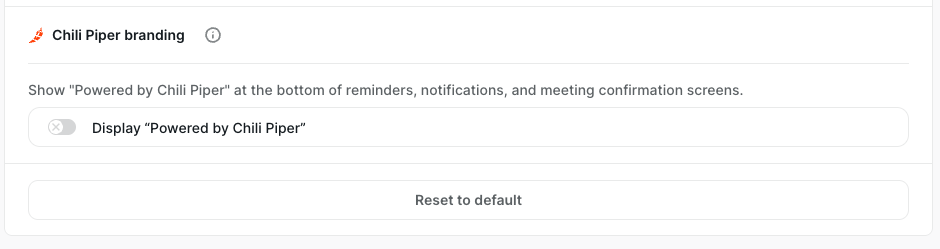
Please feel free to send a new comment or post if you need any help!
-
Hey, Gijs!
Hope you're doing great today! Great question!
In a Team Workspace, you may want to disable the below setting under the "Workspace Settings" option in the left-side menu:


Is this what you're looking for?
Please don't hesitate to reach out again if you need any further clarification, and we'll be happy to help!
Wish you a great day ahead!
0 -
Thanks Jorge Ferreira Filho
However, it was already like that and it still shows

 0
0 -
Sorry about that Gijs Bos; I may have initially misunderstood the request!
Please add the following CSS in your workspace's "CSS Preferences" to remove the one you showed in the first screenshot:
[data-test-id="BrandingFooter"]{display:none;}This is how it should look like after adding it - this screenshot is from a queue link I have in my testing instance:

Please let me know if you still need to remove it elsewhere or if this solution wasn't the best fit for you!
Wish you a great day ahead! 😄
0 -

Hey everybody. My branding is off and I'm seeing this:
 0
0 -

Hey Ethan,
Hope you're having a great day so far!
Kindly update your workspace's "CSS Preferences" with the code below,
[data-test-id="BrandingFooter"]{display:none;}
[data-chili-css="footer-booked"] {
display:none;
}That should take off the branding section of the screenshot above.
Please let us know if this solution solves it for you!
Have a great day ahead!
0
Please sign in to leave a comment.
Comments
6 comments