Fields from Guest Forms as Meeting Titles

I'm looking to pull an answer field from Guest Forms as a Dynamic Tag and insert it into the Meeting Title. Is this possible? I don't see this as an option
-

Hey Jenna!
Hope this message finds you well!
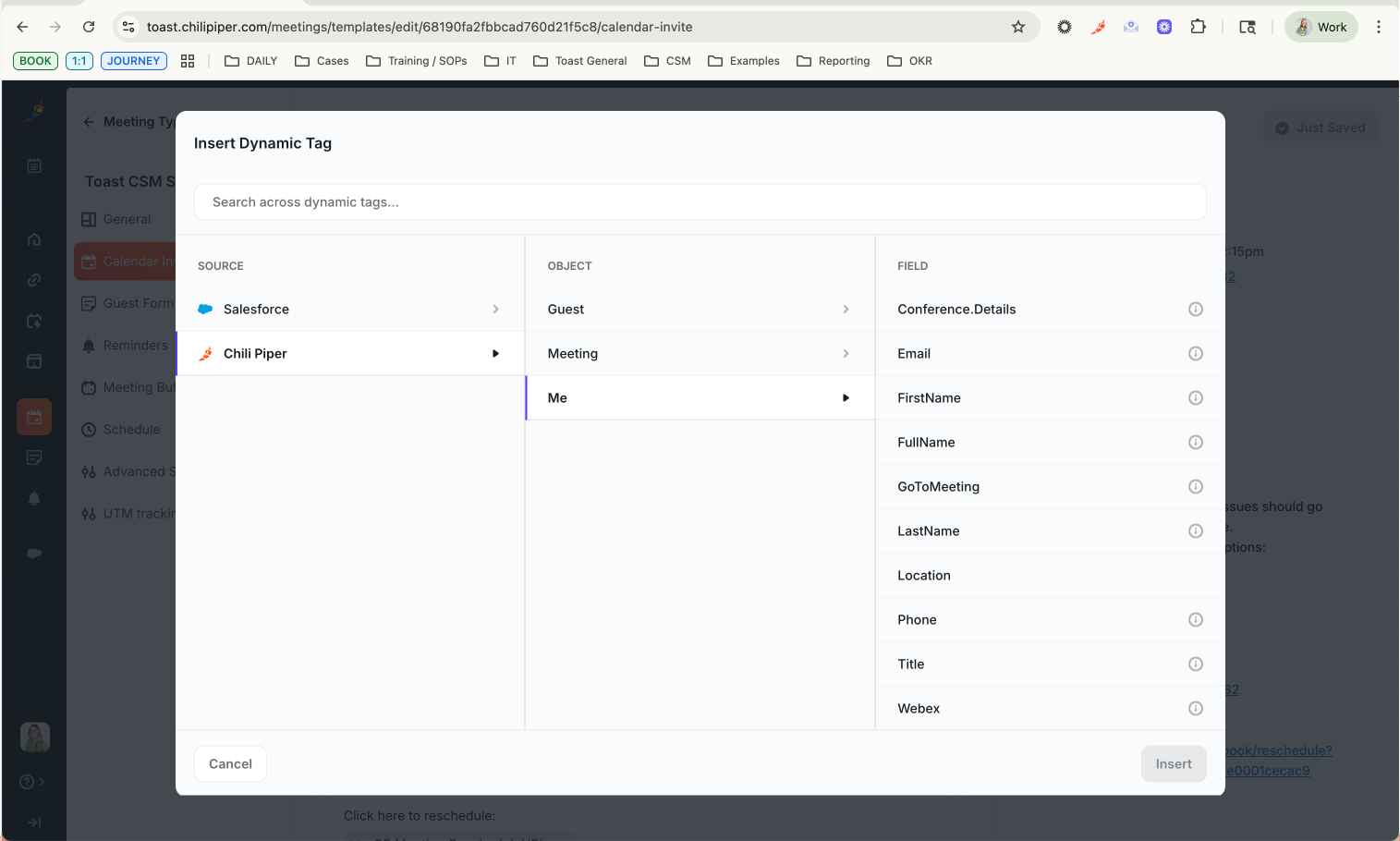
The form fields should be available to be used as Dynamic Tags within the Guest object in the middle column.
Please keep us posted if you don't see any any specific fields and we will be happy to take another look for you!
I hope you have a great day and a wonderful week ahead!
0 -
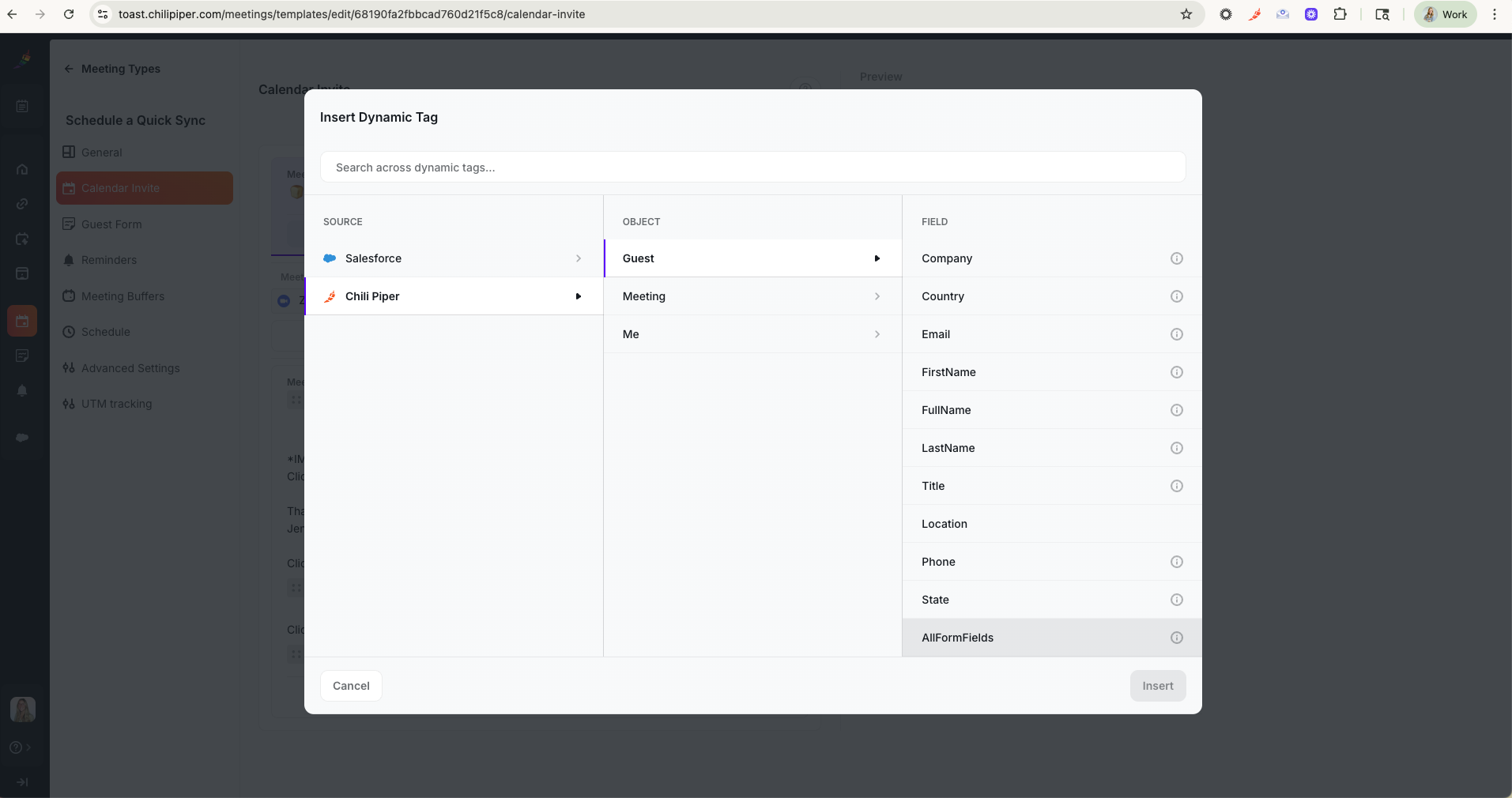
I do have Guest > AllFormFields as an option, but I don't have the ability to select just one of the fields on the form.
When I select Guest>Company, it pulls the company info from Salesforce. I'd like to pull the Guest Form Field "Company" to input what the guests puts down.
 0
0 -
Hey Jenna!
Could you please confirm in which workspace I can find this Meeting Type?
My initial advice would be using the Company field, as we should collect the data provided by the prospect in the form itself. If this data wasn't filled out, then we would refer to the associated account in your CRM instance.
Anyway, I would like to take a closer look at your setup to see if I can spot any other data.
0 -
Jorge Ferreira Filho Its a required field, so customers need to fill out their company in the form, but its still automatically pulling from the CRM. the problem with this is that the CRM data is often wrong.
This is for toast.chilipiper.com under Jenna Doerring (jenna.doerring@toasttab.com). Let me know if you need other information from me!
0 -
Jenna Doerring Indeed, your form setup looks correct.
Do you recall any examples where you noticed the Company field was filled out with a different value? Happy to check our logs to see if I can find any further information about it.
0 -
Jorge Ferreira Filho yes! All my calls have been pulling from the CRM. After they are scheduled, I edit the meeting name to be correct.
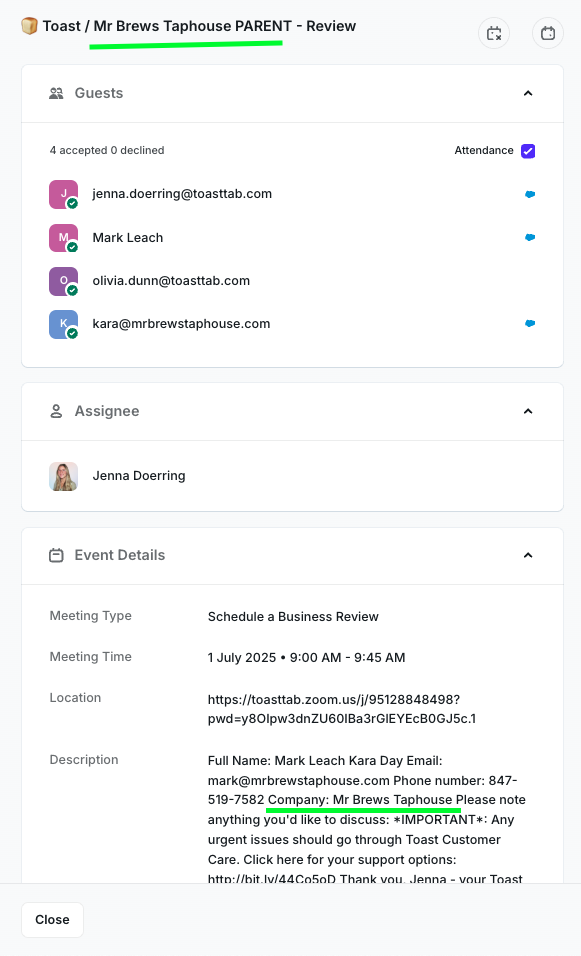
Here's an example that I did not edit that pulled from the CRM. The meeting name had: "Mr Brews Taphouse PARENT" (this pulls from the crm).. but the form the customer just put "Mr Brew Taphouse"
 0
0 -
Jenna Doerring Thank you! I believe I found something!
While checking our internal logs I noticed the mapping didn't happen properly to your form field and, as you correctly identified, used the CRM Account name instead.
Likely, this has been happening due to the form field name you had before. I noticed the Customer Success Form was updated from the initial Default Form which is automatically created in your Personal Workspace and is more of a placeholder we have when new workspaces are created that we use to facilitate the form mapping in our backend. Sometimes, this can happen with the Default Form's mapping.
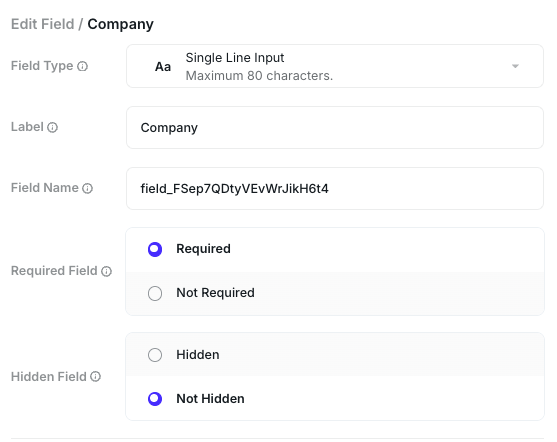
I updated your form field name to "company" and booked a new test, that correctly populated with the data I populated in the form (-Chili Piper-):

The update made should do it for your upcoming meeting invites, but please keep us posted if you notice new occurrences after this reply.
On a side note, you can also reach out to our Customer Love Team at support@chilipiper.com for technical issues, if needed. Our average first initial response time is currently around 9 minutes there!
Please don't hesitate to reach out again if you need any further clarification - I'll be happy to help! 😄️
Wish you a great day ahead!
0 -
Jorge Ferreira Filho THANK YOU SO MUCH!!!!
0
Please sign in to leave a comment.
Comments
8 comments